

How to Set Up Google Click to WhatsApp Ads: A Guide to Turning Clicks into Revenue
.png)
Google Click to WhatsApp Ads are quickly becoming one of the most effective ways to capture high intent customers. Instead of sending users to a landing page, these ads open a WhatsApp conversation instantly, right at the moment interest peaks.
Many teams already know how to launch these ads.
Very few know how to make them profitable.
The biggest misconception is believing performance ends at the click. In reality, the click is only the start. Revenue is determined by what happens inside the WhatsApp conversation.
This guide explains how to set up Google Click to WhatsApp Ads correctly and how high performing teams turn those clicks into real business outcomes.
What are Google Click to WhatsApp Ads?
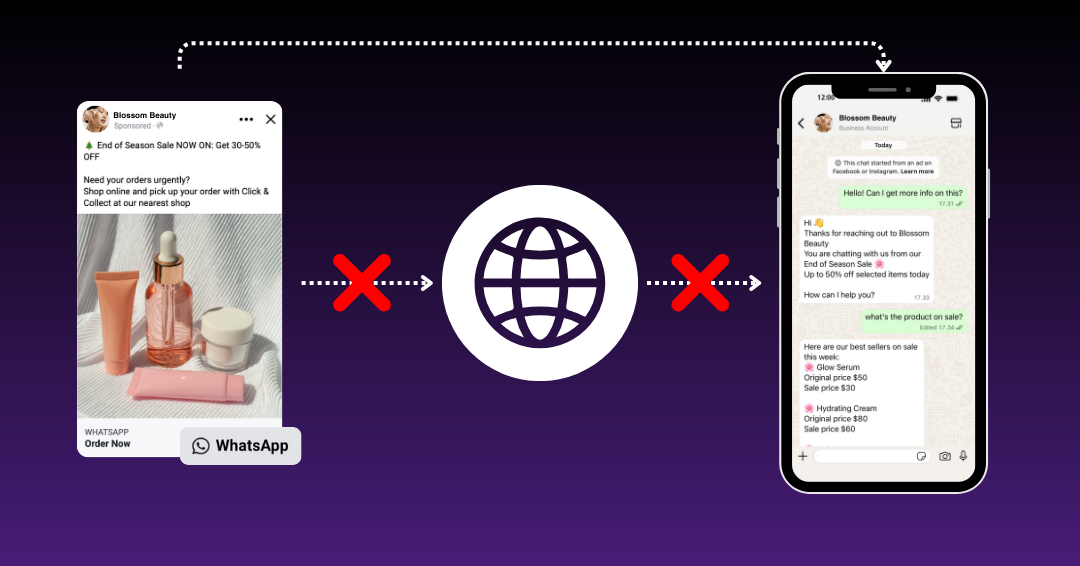
Google Click to WhatsApp Ads allow businesses to run Google Search or Display ads with a call to action that opens a WhatsApp chat instead of a website.
When a user clicks the ad:
- A WhatsApp conversation opens instantly
- The user can ask questions in real time
- The business can guide the decision immediately
These ads work especially well for high intent searches such as pricing inquiries, availability checks, bookings, consultations, and product comparisons.
Why Click to WhatsApp Ads Are Growing So Fast
Customer behavior has shifted. People want answers, not more pages. They prefer messaging over forms and expect immediate responses.
Click-to-WhatsApp ads solve this by:
- Removing Friction: No loading times or complex forms.
- Instant Gratification: Matches the modern customer's expectation for immediate answers.
- Continuous Engagement: Unlike a website session, a WhatsApp chat remains open for follow-ups.
Step by Step: How to Set Up Google Click to WhatsApp Ads
Step 1: Access the WhatsApp Business Platform (API)
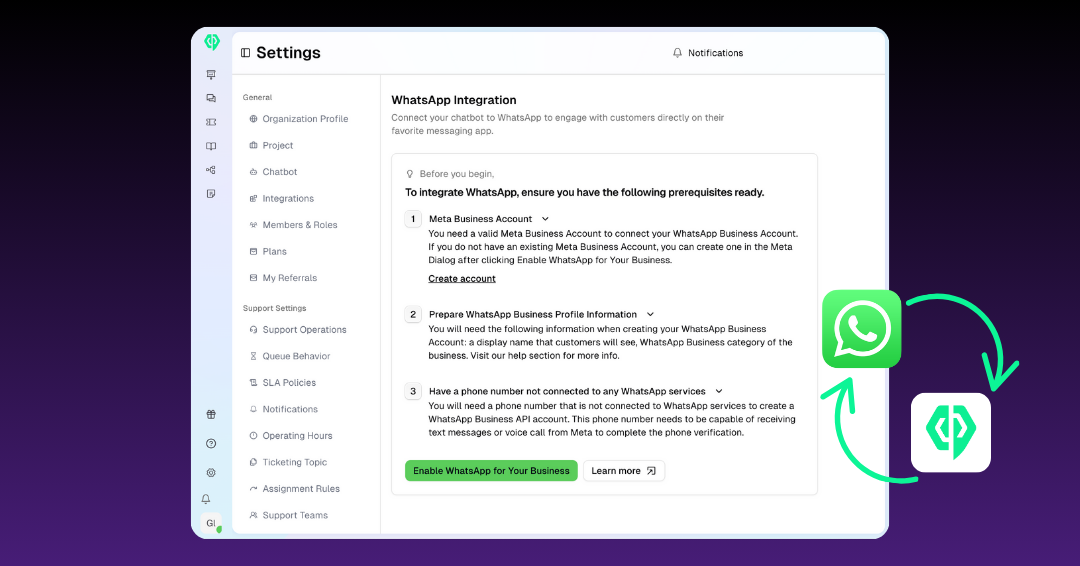
You cannot run professional ads using the standard WhatsApp Business App. You need the WhatsApp Business Platform (API) through a provider like AiChat to handle high volume automated responses.
You will need:
- A WhatsApp for Business Platform number
- A verified Meta Business Manager
Step 2: Connect WhatsApp to Meta Business Manager
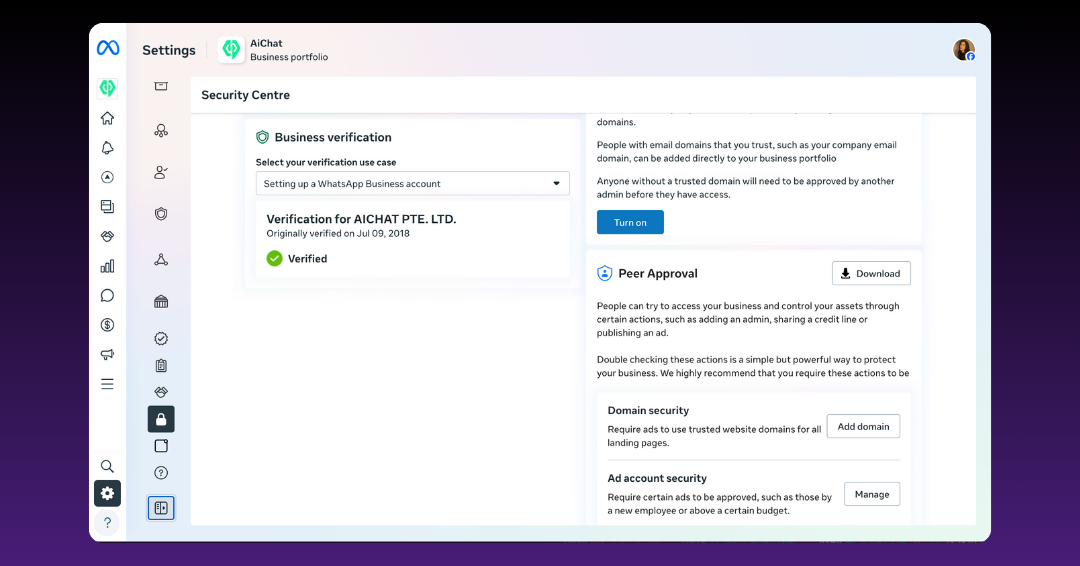
Your WhatsApp number must be linked to a verified Meta Business Manager.
Ensure:
- Business details are complete
- Website and domain are verified
- Brand information is consistent
Incomplete verification is one of the most common blockers.
Step 3: Create the Google Ads Campaign
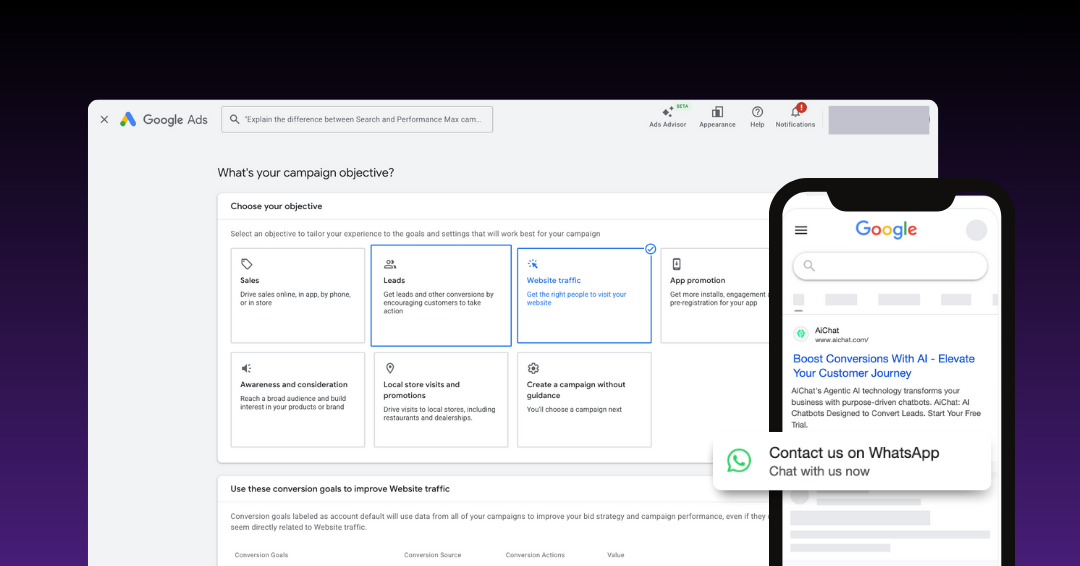
In Google Ads:
- Objective: Choose "Website Traffic" or "Leads".
- Campaign Type: Select "Search" or "Display".
- Final URL: Use your WhatsApp Deep Link
- Ad Copy: Clearly state that the link opens a chat (e.g., "Chat with us on WhatsApp for a free quote").
Your ad copy should clearly set the expectation that the conversation continues on WhatsApp.
Step 4: Set Up Full-Funnel Conversion Tracking
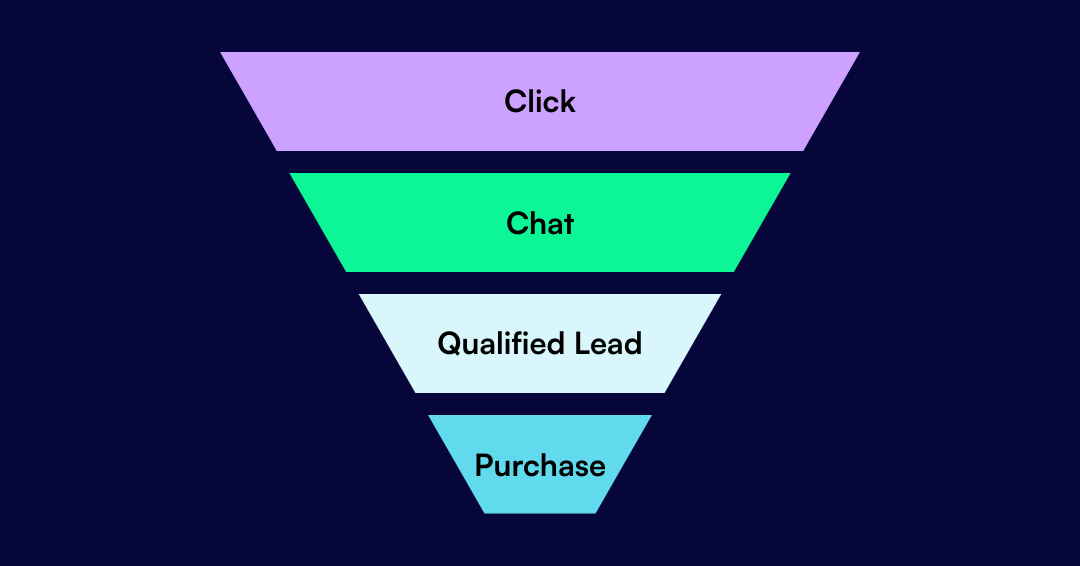
Most teams stop at click tracking. This is where ROI breaks.
At minimum, track:
- Ad click to WhatsApp open
- Conversation started
- Qualified conversation
- Purchase or booking
Without visibility, optimization is just guesswork. AiChat integrates your WhatsApp conversations directly with Google Ads tracking, allowing you to see exactly which ad spend is turning into real revenue, not just empty chats.
Why Most WhatsApp Ads Fail (And How to Fix It)
The "Click" is only 20% of the journey. Most campaigns fail because of:
- Delayed Responses: A 5-minute delay in chat can lead to an 80% drop in interest.
- Lack of Qualification: Human agents get overwhelmed by "window shoppers."
- No Follow-up: Failing to re-engage users who go quiet after the initial inquiry.
The Solution: Use Agentic AI to provide instant greetings, qualify leads 24/7, and only hand off "hot leads" to your sales team.
The Role of Agentic AI in Maximizing WhatsApp Ad ROI
AI enables Click to WhatsApp Ads to scale without sacrificing quality.
With Agentic AI:
- Every click gets an instant response
- Leads are qualified consistently
- Human teams focus on high value conversations
- Performance improves without adding headcount
- Conversion data is captured automatically
AI does not replace humans. It ensures no opportunity is wasted before humans step in.
How AiChat Helps Teams Win With Google Click to WhatsApp Ads
Running Click to WhatsApp Ads without the right infrastructure creates unnecessary complexity.
At AiChat, we help teams:
- Respond instantly to every ad click
- Qualify leads automatically
- Route conversations intelligently
- Track conversions beyond the click
- Optimize chats for revenue
- Scale campaigns without operational strain
If you are investing in Google Click to WhatsApp Ads, you need a system that makes every click count.
Ready to turn your Google Ad clicks into measurable revenue?
Don't let your ad budget go to waste with slow responses and unorganized chats. Join the leading brands using AiChat to automate their WhatsApp sales funnel.
Sign up for free with AiChat or Book a demo to see how teams turn WhatsApp conversations into measurable revenue.


